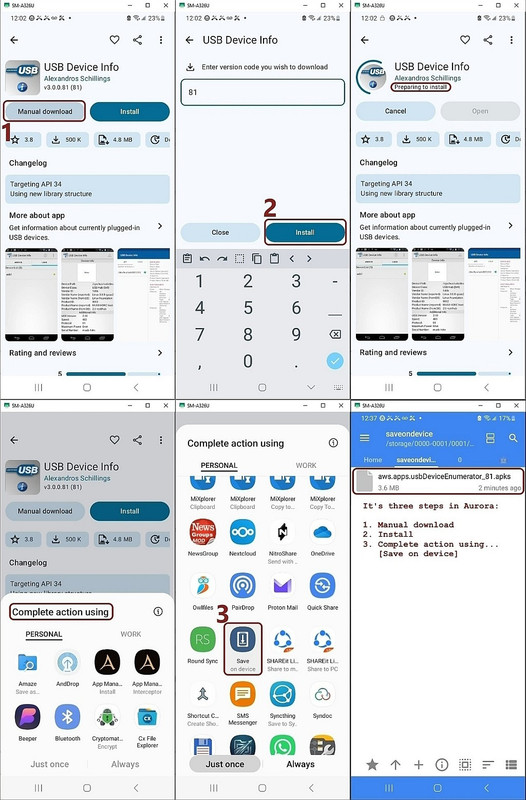
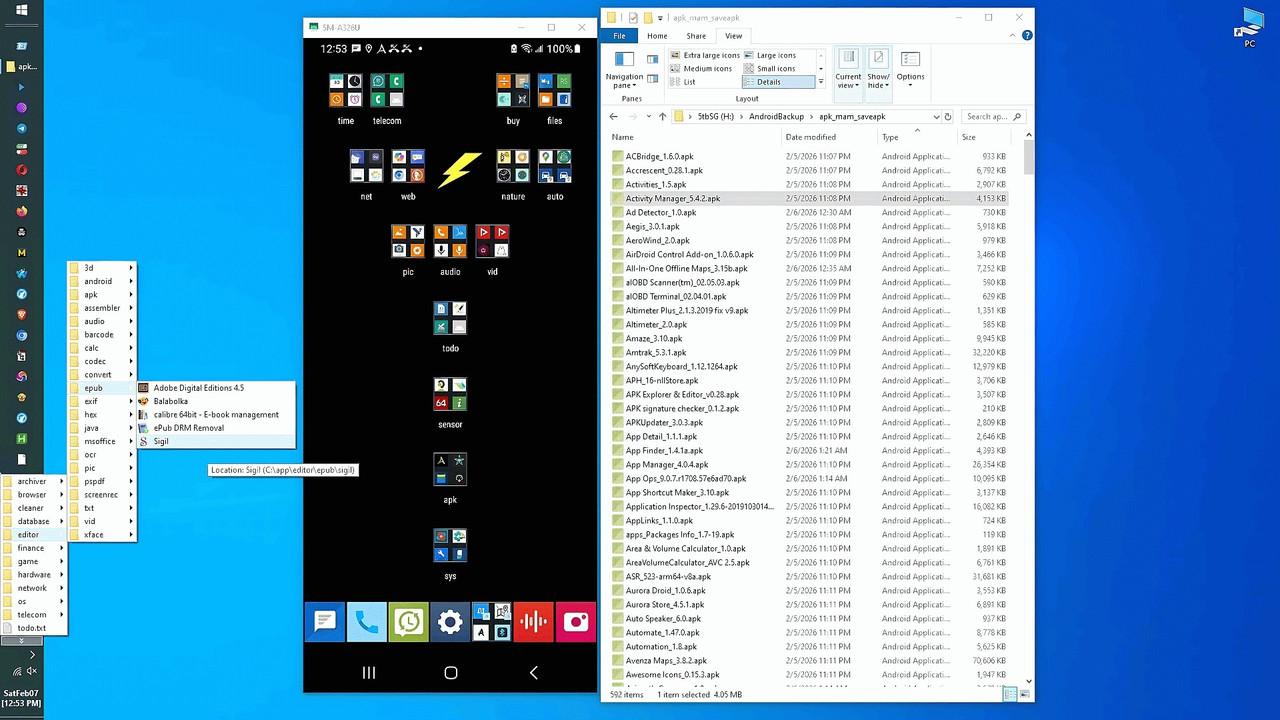
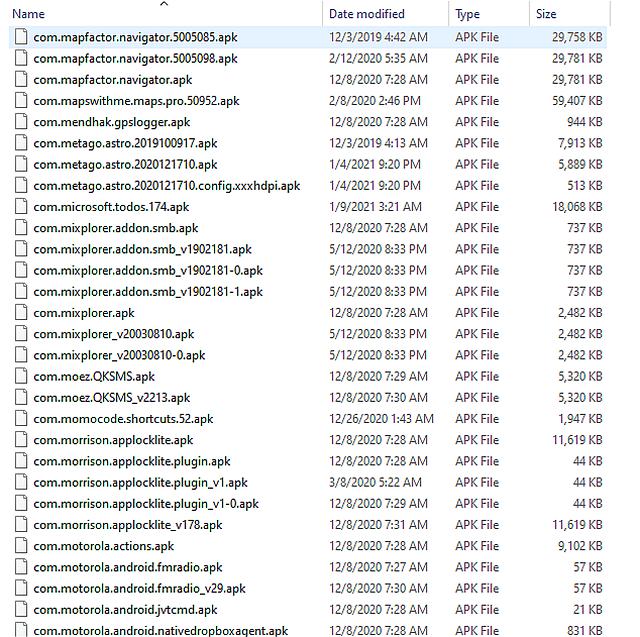
adb devicesList of devices attached
adb pair 192.168.1.4:37101 132022Successfully paired to 192.168.1.4:37101 [guid=adb-SERIAL]
adb connect 192.168.1.4:46471connected to 192.168.1.4:46471
adb devicesList of devices attached
type getapkorder.bat@echo off
getapkorder.batMake sure your phone is plugged in and USB Debugging is ON.
type $HOME\installed_apps_ordered.txt
I'll send out a separate (untested) Linux script, as the only difference
is in the file specs so I have confidence someone will test it for us.
Best includes it does something useful, is free, no ads, no login.
name.lmj001.savetodevice 5/18/2026 10:41:39 PM
This means I'm _still_ learning from others what Android apps are useful.
f.cking.software: Yes, that is an actual package name in your list from
June 2024. It is usually the package ID associated with certain sketchy modded apps or joke repositories.
Maria Sophia wrote:
Best includes it does something useful, is free, no ads, no login.
Here's my file of 617 apps I personally installed on my free 64GB A325G.
If you know of other useful (free, private, no account, no ads) apps not on this list, please let us all know as that's the original goal.
Have we tested every free useful app on Android by now?
Dunno.
I probably tested 5 to 10 times the number of apps that are on my 64GB storage, but here is the current set of 617 apps that I didn't delete.
I probably tested 5 to 10 times the number of apps that are on my
64GB storage, but here is the current set of 617 apps that I didn't delete.
Out of interest, have you tried Canta debloater? It requires Shizuku,
but, I understand, not adb to use it.
Sometimes I use Muntashirakon App Manager, which I know you have, which
tells me what to debloat, but Canta would do it more gracefully for sure.
For someone starting fresh, I'd agree with you that they should use Canta
uad-ng-windows.exea. Wait for UAD-NG to detect your phone
Download the uad-ng-windows.exe for Windows.
<https://github.com/Universal-Debloater-Alliance/universal-android-debloater-next-generation/releases/download/v1.2.0/uad-ng-windows.exe>
uad-ng-windows.exea. Wait for UAD-NG to detect your phone
b. Choose the "Recommended" category
c. Pick a package (e.g., Facebook App Manager)
d. Click Uninstall
I guess I'll try running Canta (with Shizuku) on the phone next.
scrcpy-noconsole.vbsThen operate Canta & Shizuku from the mirror image on your PC monitor.
adb shell sh /storage/emulated/0/Android/data/moe.shizuku.privileged.api/start.sh
Maria Sophia wrote:I just realized that my new tablet doesn't have, on first boot, any user facing apps. Well, there is google play, obviously, the camera, I don't
Sometimes I use Muntashirakon App Manager, which I know you have, which
tells me what to debloat, but Canta would do it more gracefully for sure.
For someone starting fresh, I'd agree with you that they should use Canta
So how does one run Canta debloating on the PC (Linux, Windows or macOS)?
So how does one run Canta debloating on the PC (Linux, Windows or macOS)?
I just realized that my new tablet doesn't have, on first boot, any user facing apps. Well, there is google play, obviously, the camera, I don't
know what else. Nothing like tik-tok, facebook. I had to select what
browser I wanted. I believe everything can be uninstalled. Everything
got installed during the first boot.
Since I operate the phone 100% from the PC, on the PC I downloaded the
Canta APK which comes from F-Droid so I could debloat without the PC.
Is messing around with Android phones one of your hobbies? Android OS is owned by Google but used mostly by people who care about privacy! The meaning of privacy must have changed recently.
Maria Sophia wrote:
I guess I'll try running Canta (with Shizuku) on the phone next.
Since I operate the phone 100% from the PC, on the PC I downloaded the
Canta APK which comes from F-Droid so I could debloat without the PC.
<https://f-droid.org/en/packages/io.github.samolego.canta/>
<https://f-droid.org/repo/io.github.samolego.canta_225.apk>
Name: io.github.samolego.canta_225.apk
Size: 4698310 bytes (4588 KiB)
SHA256: 5A646D366905C0BE2033AA270B008B3EF79FDA99FBC95988445B0F430283A1ED
I already had Shizuku, but for others, you can pick it up over here.
<https://github.com/rikkaapps/shizuku>
<https://github.com/RikkaApps/Shizuku/releases/tag/v13.6.0>
<https://github.com/RikkaApps/Shizuku/releases/download/v13.6.0/shizuku-v13.6.0.r1086.2650830c-release.apk>
Name: shizuku-v13.6.0.r1086.2650830c-release.apk
Size: 2571773 bytes (2511 KiB)
SHA256: 6E273AB0E991C4E79BC8B1BBB9B9DD739CCAC1A8712A541A214078886B7B790F
Or, you can pick it up on the Google Play store if you like.
<https://play.google.com/store/apps/details?hl=en_US&id=moe.shizuku.privileged.api>
Here is the Shizuku User Guide (which I've never read myself).
<https://shizuku.rikka.app/guide/setup.html>
Since you control the phone completely from the PC, run this
adb shell pm trim-caches 999G
adb install "C:\canta\io.github.samolego.canta_225.apk"
adb install "C:\canta\shizuku-v13.6.0.r1086.2650830c-release.apk"
Now you can run Canta on the phone from the mirrored image on the PC:
C:\> scrcpy-noconsole.vbs
Then operate Canta & Shizuku from the mirror image on your PC monitor.
The funny thing, surprisingly, is a *lot* more stuff was highlighted
in the Canta running on Android than in the Canta running on Windows.
I arbitrarily clicked on BBCAgent <com.samsung.android.bbc.bcagent>
and up popped "Shizuku Required" saying
"Canta uses Shizuku to uninstall apps without requiring root access.
Shizuku provides a secure way to access system=-level SDKs."
a. Start Shizuku service
b. Grant permission to Canta in Shizuku
When I pressed "Start Shizuku service" it gave me this command.
Which I ran in Windows, which started the Android Shizuku service.
C:\> adb shell sh /storage/emulated/0/Android/data/moe.shizuku.privileged.api/start.sh
Then I pressed "Grant permission to Canta in Shizuku" and it
removed the selected BBCAgent package from the Android device.
Unfortunately each time you delete an app, it asks you to
Donate, which is kind of a pain, but other than that, the
Android version of Canta seems to be just as easy to use
as the PC version of Canta, the only difference, apparently,
being that the Android version of Canta has a different GUI.
I'm pretty surprised that the Android Canta found more stuff
to debloat than did the Windows Canta, but other than that,
they're both easy to use to debloat your Android safely.
Both seem to work well, so I thank Jeff for his great ideas.
a. Canta on Android + Shizuku on Android
b. Canta on the PC + adb on the PC
Skeptic wrote:
Is messing around with Android phones one of your hobbies? Android OS is
owned by Google but used mostly by people who care about privacy! The
meaning of privacy must have changed recently.
Android, when used with PlugOS [1], is a super awesome privacy device,
when additionally used with AEC [2] = Air Gapped Encrypted Communications
and a little air gapped GPD MicroPC [3] *with Windows 11*, which beats any online Linux box with outdated GnuPG or OpenPGP, when it comes to first
class secure and anonymous email communications, via the Nym Mixnet [4].
[1] https://plugos.net/plugmate
On 01/06/2026 21:12, Ch1ffr3punk wrote:
Skeptic wrote:
Is messing around with Android phones one of your hobbies? Android OS is >>> owned by Google but used mostly by people who care about privacy! The
meaning of privacy must have changed recently.
I would guess that most people who use a cellphone have no interest in privacy.
Is messing around with Android phones one of your hobbies? Android OS is >>> owned by Google but used mostly by people who care about privacy! The
meaning of privacy must have changed recently.
I would guess that most people who use a cellphone have no interest in privacy.
Android, when used with PlugOS [1], is a super awesome privacy device,
when additionally used with AEC [2] = Air Gapped Encrypted Communications
and a little air gapped GPD MicroPC [3] *with Windows 11*, which beats any >> online Linux box with outdated GnuPG or OpenPGP, when it comes to first
class secure and anonymous email communications, via the Nym Mixnet [4].
[1] https://plugos.net/plugmate
Recent reviews:
<https://uk.pcmag.com/security/165179/i-was-sick-of-android-apps-spying-on-me-so-i-tried-grapheneos-and-plugos>
<https://www.clubic.com/actualite-598732-plugos-un-pc-android-dans-une-cle-usb-c-securisee-ne-tombez-pas-dans-le-piege.html>
(In French, but translatable with Firefox, or using DeepL or Google Translate)
On 01/06/2026 04:28, Maria Sophia wrote:
Since I operate the phone 100% from the PC, on the PC I downloaded the
Canta APK which comes from F-Droid so I could debloat without the PC.
Deboating a phone is new to me, and perhaps alien to many her
Both seem to work well, so I thank Jeff for his great ideas.
a. Canta on Android + Shizuku on Android
b. Canta on the PC + adb on the PC
Well you did all the work! I meant to ask about Canta a month or two ago when I saw it in the F-Droid "Latest" list. It looked interesting and I thought it had said that adb wasn't required. Unfortunately when I
checked after seeing your OP in this thread, it had already disappeared
from the latest list, and the current entry for Canta doesn't mention
adb, only Shizuku.
adb shell sh /storage/emulated/0/Android/data/moe.shizuku.privileged.api/start.sh
Recent reviews:
<https://uk.pcmag.com/security/165179/i-was-sick-of-android-apps-spying-on-me-so-i-tried-grapheneos-and-plugos>
Jeff Layman wrote:
Is messing around with Android phones one of your hobbies? Android OS is >>>> owned by Google but used mostly by people who care about privacy! The
meaning of privacy must have changed recently.
I would guess that most people who use a cellphone have no interest in
privacy.
Hi Jeff,
I would disagree but I would half agree that 99 out of 100 people don't
know the first thing about privacy, so, half of those 99 buy Apple devices because Apple told them it's more private, even as iOS is not private.
My point is they care, but they don't know how to obtain any privacy.
By far, the most important act anyone could do on any computing device, is NOT put a mothership account on that device, which is easy for Android.
Android works better without the Google account than it does with it.
Android, when used with PlugOS [1], is a super awesome privacy device,
when additionally used with AEC [2] = Air Gapped Encrypted Communications >>> and a little air gapped GPD MicroPC [3] *with Windows 11*, which beats any >>> online Linux box with outdated GnuPG or OpenPGP, when it comes to first
class secure and anonymous email communications, via the Nym Mixnet [4]. >>>
[1] https://plugos.net/plugmate
Recent reviews:
<https://uk.pcmag.com/security/165179/i-was-sick-of-android-apps-spying-on-me-so-i-tried-grapheneos-and-plugos>
<https://www.clubic.com/actualite-598732-plugos-un-pc-android-dans-une-cle-usb-c-securisee-ne-tombez-pas-dans-le-piege.html>
(In French, but translatable with Firefox, or using DeepL or Google
Translate)
Since most USA-spec Samsung devices can't be rooted, GrapheneOS isn't available, but I didn't know about PlugOS until it was mentioned above.
a. You plug the PlugOS USB-C stick into your phone.
b. The phone treats it like an external display + input device.
c. PlugOS runs on the stick, not on the phone.
d. The phone is basically just a screen + power source .
So it doesn't matter that USA Samsung's can't unlock the bootloader.
PlusOS won't work for my Samsung because the phone must support DisplayPort Alt Mode, which mine doesn't support. But PlugOS even works on iOS so it's
a nice idea for those whose USB port supports it.
Jeff Layman wrote:
Recent reviews:
<https://uk.pcmag.com/security/165179/i-was-sick-of-android-apps-spying-on-me-so-i-tried-grapheneos-and-plugos>
Well, the author does not mention that it works also on Linux,
Windows and macOS... Does Graphene supports this? And my new
smartphone had cost me only 135 € compared to a Pixels...
To be fair to the author the title only refers to him being concerned
about /Android/ apps spying.
Also, just over halfway down he states "At first glance, the advertising suggests you can simply plug the PlugMate into a Windows or macOS
desktop device, but that isn't the case...".So Windows and macOS are mentioned (but not Linux).
To be fair to the author the title only refers to him being concerned
about /Android/ apps spying.
Also, just over halfway down he states "At first glance, the advertising
suggests you can simply plug the PlugMate into a Windows or macOS
desktop device, but that isn't the case...".So Windows and macOS are
mentioned (but not Linux).
I use it with Windows 11 too, so that it can be used in an Internet Caf�, public libraries and a screenshot, for security reasons, can't be done.
On 01/06/2026 22:55, Maria Sophia wrote:
Jeff Layman wrote:
Is messing around with Android phones one of your hobbies? Android
OS is
owned by Google but used mostly by people who care about privacy! The >>>>> meaning of privacy must have changed recently.
I would guess that most people who use a cellphone have no interest in
privacy.
Hi Jeff,
I would disagree but I would half agree that 99 out of 100 people don't
know the first thing about privacy, so, half of those 99 buy Apple
devices
because Apple told them it's more private, even as iOS is not private.
My point is they care, but they don't know how to obtain any privacy.
By far, the most important act anyone could do on any computing
device, is
NOT put a mothership account on that device, which is easy for Android.
Android works better without the Google account than it does with it.
If we only talk about Android phones, at least at the start, with
probably little knowledge, they buy them on recommendation by the sales assistant in the phone shop based on price and (perhaps) what they want
to use the phone for. Maybe the customer has specific interests such as wanting a good camera and screen for viewing.
I'm pretty sure that if they don't have a Google account when they walk
in, by the time they leave the shop they'll have one with the help of
the sales assistant! They'll then be shown how to use Google's cloud
storage and how to backup to it. Location, wifi, and Bluetooth will be switched on.
I really doubt that privacy will be mentioned (and the way some people
talk on their phone with the volume on full so you have no problem
hearing what they and the other party are saying, means they have no interest in spoken privacy either!).
Ch1ffr3punk wrote:
To be fair to the author the title only refers to him being concerned about /Android/ apps spying.
Also, just over halfway down he states "At first glance, the advertising suggests you can simply plug the PlugMate into a Windows or macOS
desktop device, but that isn't the case...".So Windows and macOS are mentioned (but not Linux).
I use it with Windows 11 too, so that it can be used in an Internet Caf?, public libraries and a screenshot, for security reasons, can't be done.
I like the concept of PlusOS, even as I never heard of it until now.
I never installed Tails, but if I were to consider spending a couple
hundred bucks on a USB stick to run PlugOS, I might try Tails first.
I'm pretty sure that if they don't have a Google account when they walk
in, by the time they leave the shop they'll have one with the help of
the sales assistant! They'll then be shown how to use Google's cloud
storage and how to backup to it. Location, wifi, and Bluetooth will be
switched on.
Some people, when they buy their second phone, have forgotten that they
have a google account, and the shop assistant will create a second one
and tell them, again, not to forget it.
I like the concept of PlusOS, even as I never heard of it until now.
I never installed Tails, but if I were to consider spending a couple
hundred bucks on a USB stick to run PlugOS, I might try Tails first.
Problem with Tails is that you can't use it in an Internet Caf� etc.
with Android, hence the reason why I purchased PlugOS where I can use
the Nym Mixnet or Tor Network.
I just checked and PlugOS doesn't work with Android, as you noted.
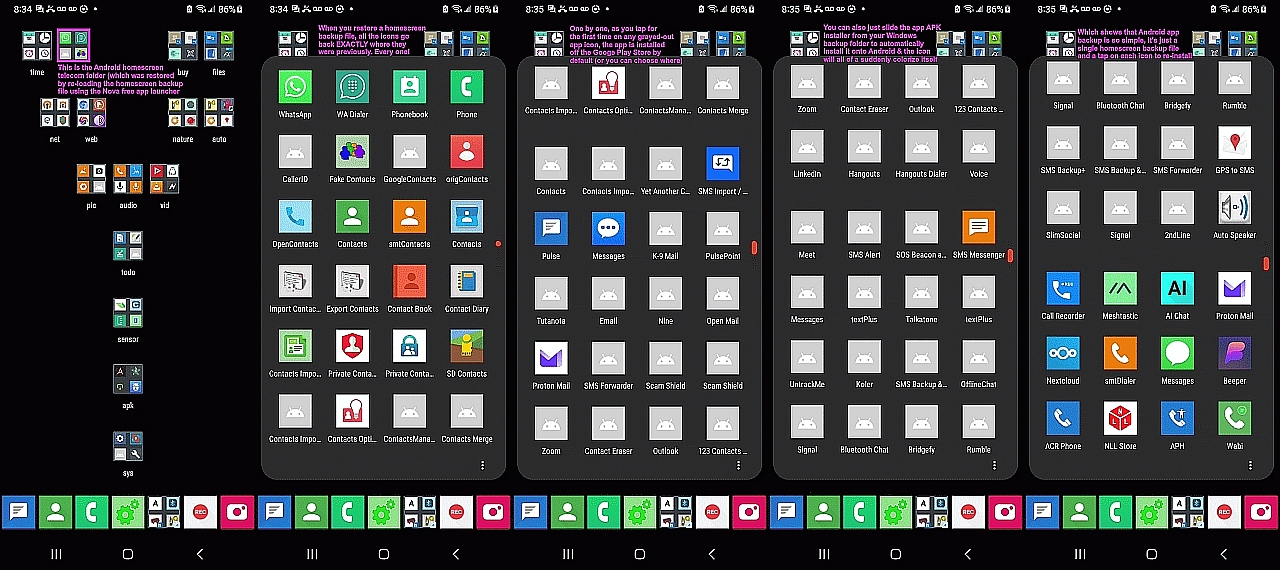
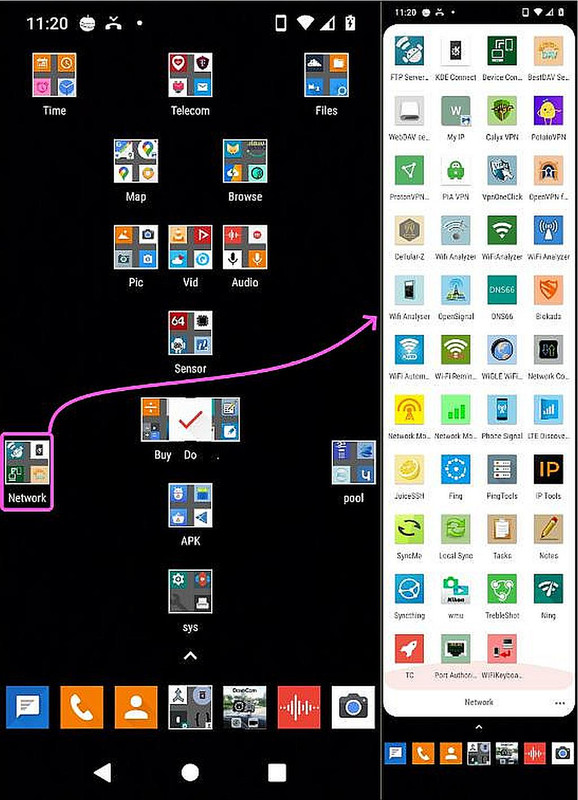
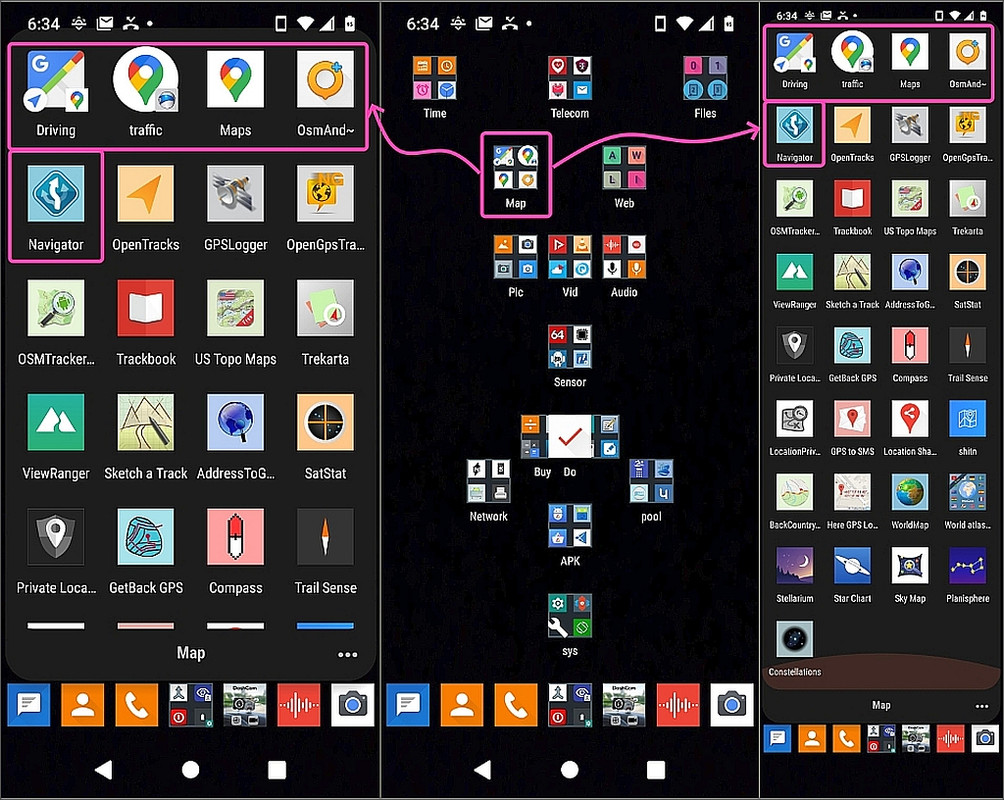
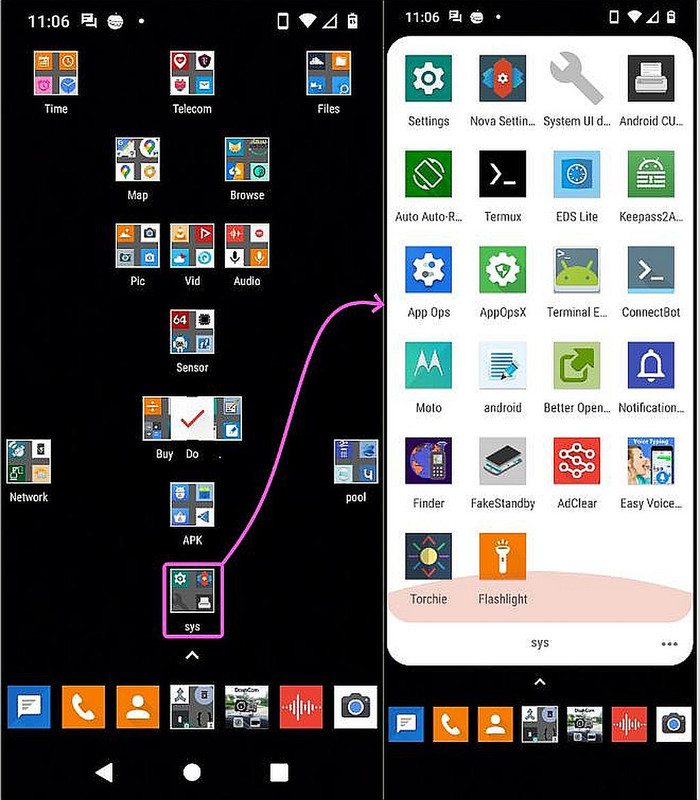
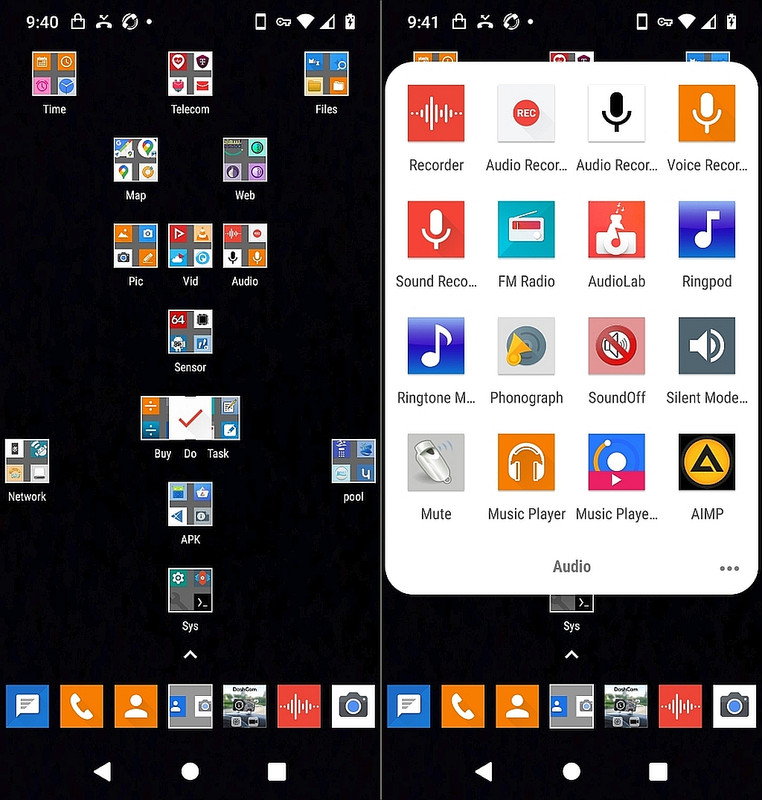
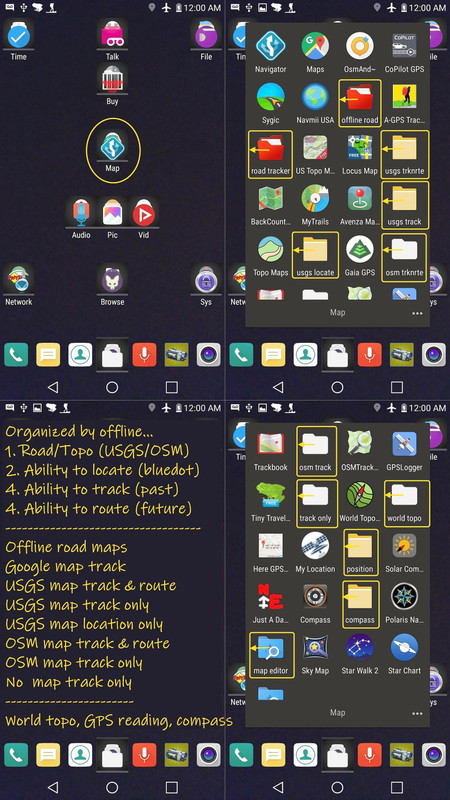
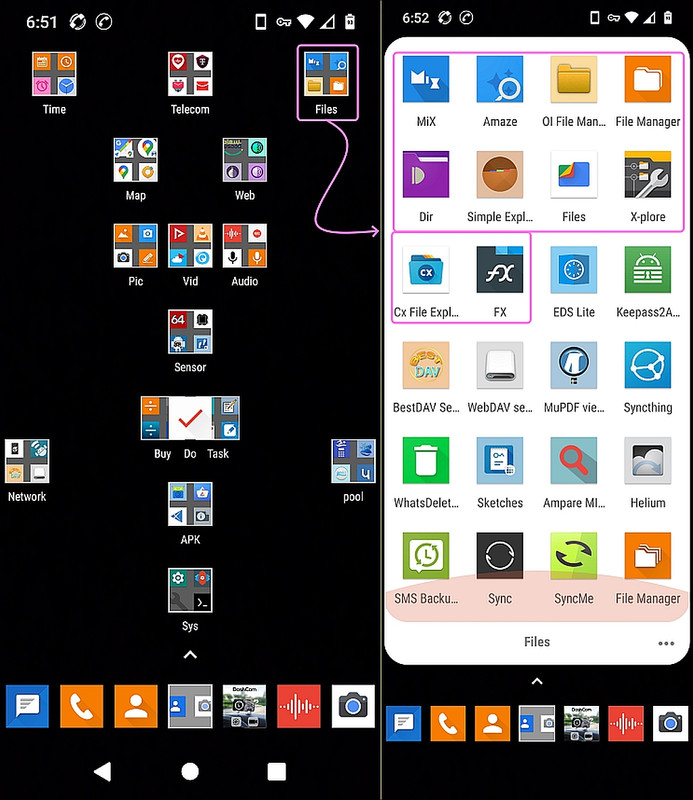
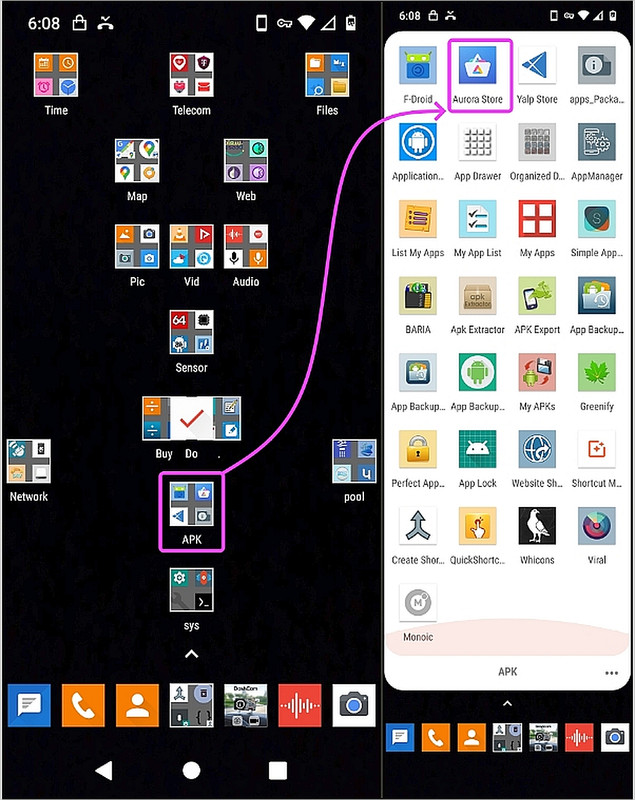
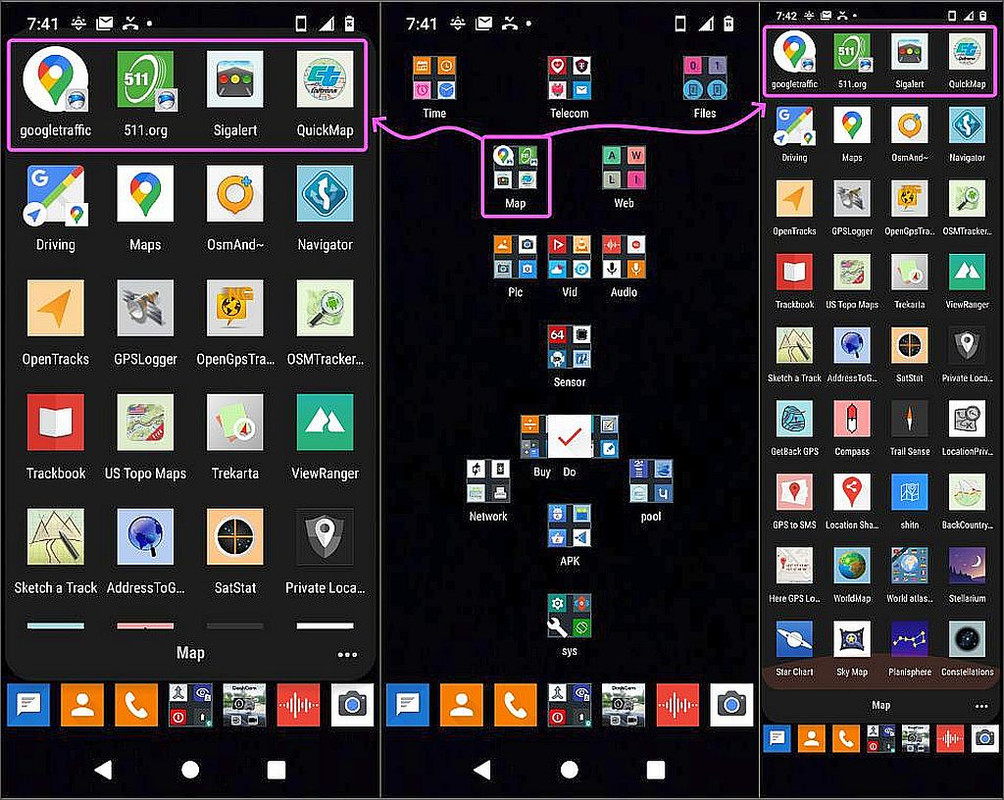
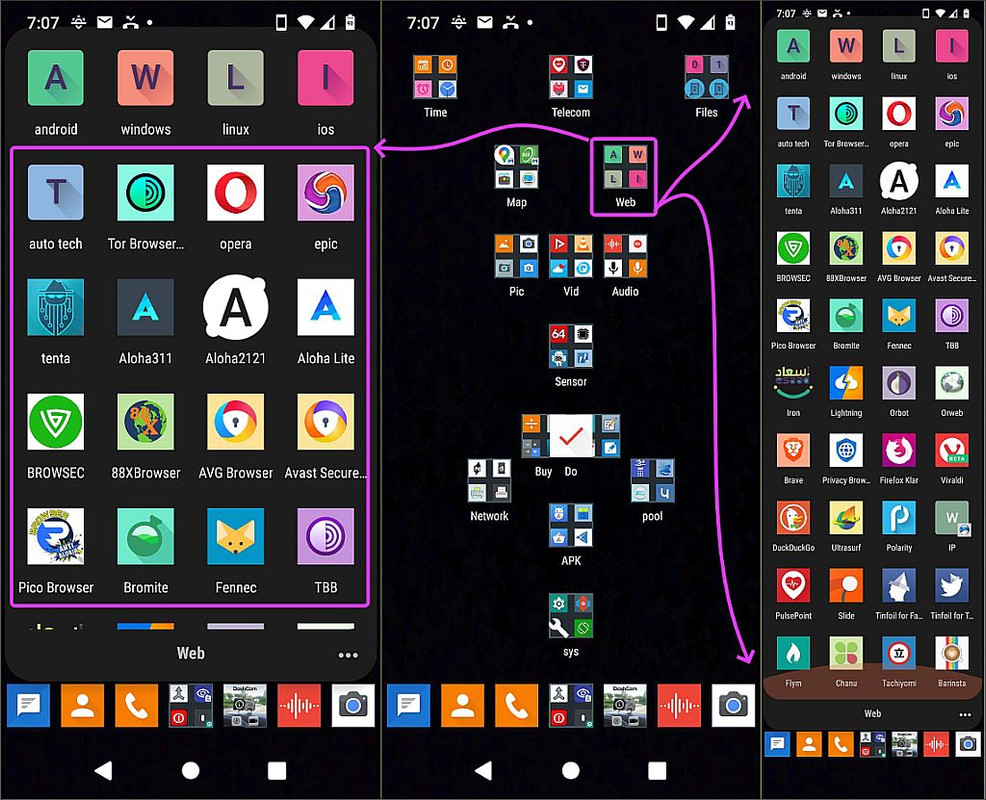
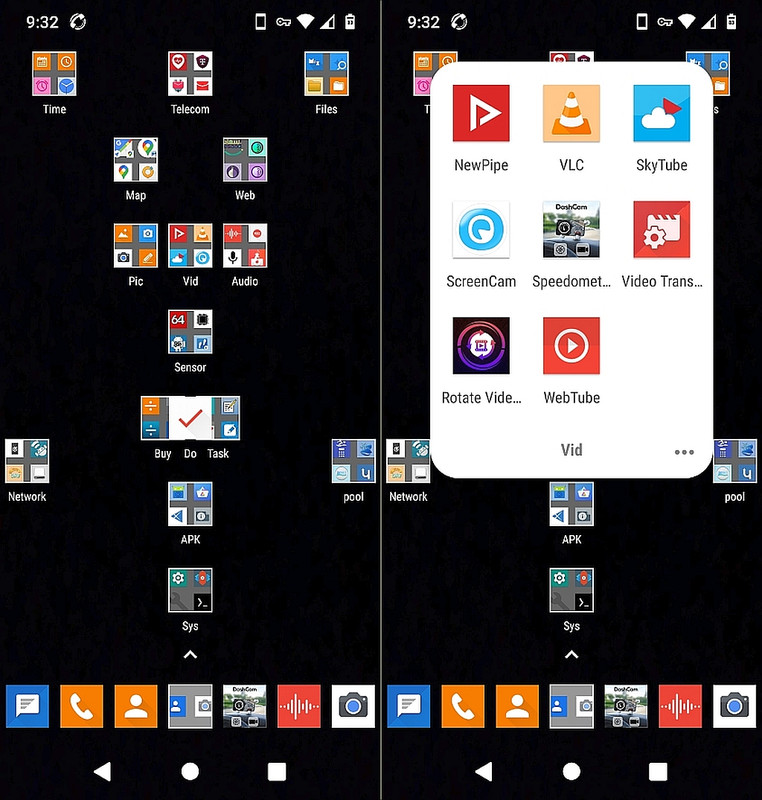
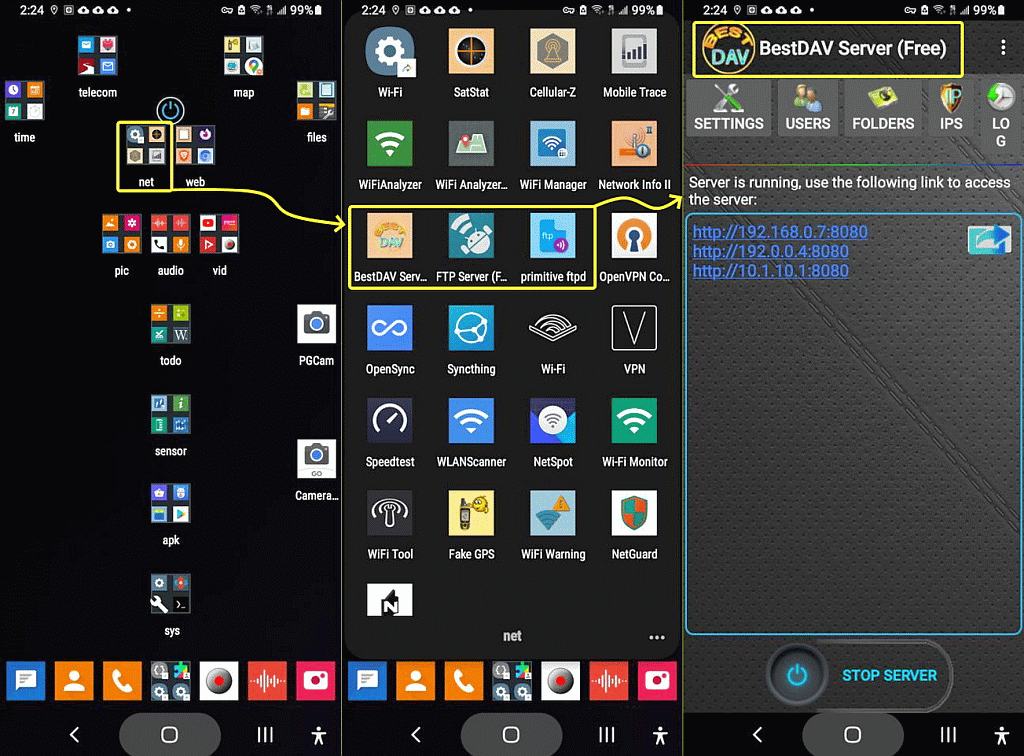
Bear in mind when I transfer a phone's apps, I transfer the exact
homescreen (icon names and locations exactly) which people will never get with the Google transfer.
On 2026-06-03 02:45, Maria Sophia wrote:
Bear in mind when I transfer a phone's apps, I transfer the exact
homescreen (icon names and locations exactly) which people will never get
with the Google transfer.
But this depends on you using a different home screen app.
| Sysop: | DaiTengu |
|---|---|
| Location: | Appleton, WI |
| Users: | 1,136 |
| Nodes: | 10 (0 / 10) |
| Uptime: | 16:24:19 |
| Calls: | 14,591 |
| Calls today: | 2 |
| Files: | 186,473 |
| D/L today: |
10,627 files (3,255M bytes) |
| Messages: | 2,577,507 |