• can i see a day, ubuntu 26.04 zip usb install ?

    From german newsgroups@[email protected] to alt.os.linux.ubuntu on Sat Apr 25 13:53:54 2026
    From Newsgroup: alt.os.linux.ubuntu


    just a question !
    --
    Amicalement,

    Frenchy Friendly, & French touch !

    german

    --- Synchronet 3.21f-Linux NewsLink 1.2
  • From Paul@[email protected] to alt.os.linux.ubuntu on Sat Apr 25 10:33:20 2026
    From Newsgroup: alt.os.linux.ubuntu

    On Sat, 4/25/2026 7:53 AM, german newsgroups wrote:

    just a question !


    Installers use squashfs for major parts of the file storage for the install. You can open the squashfs if you want, and play with the individual files.

    There is a tendency these days, for the installer to try to install
    in UEFI GPT mode. A refusal of the OS to boot, is not the end of the
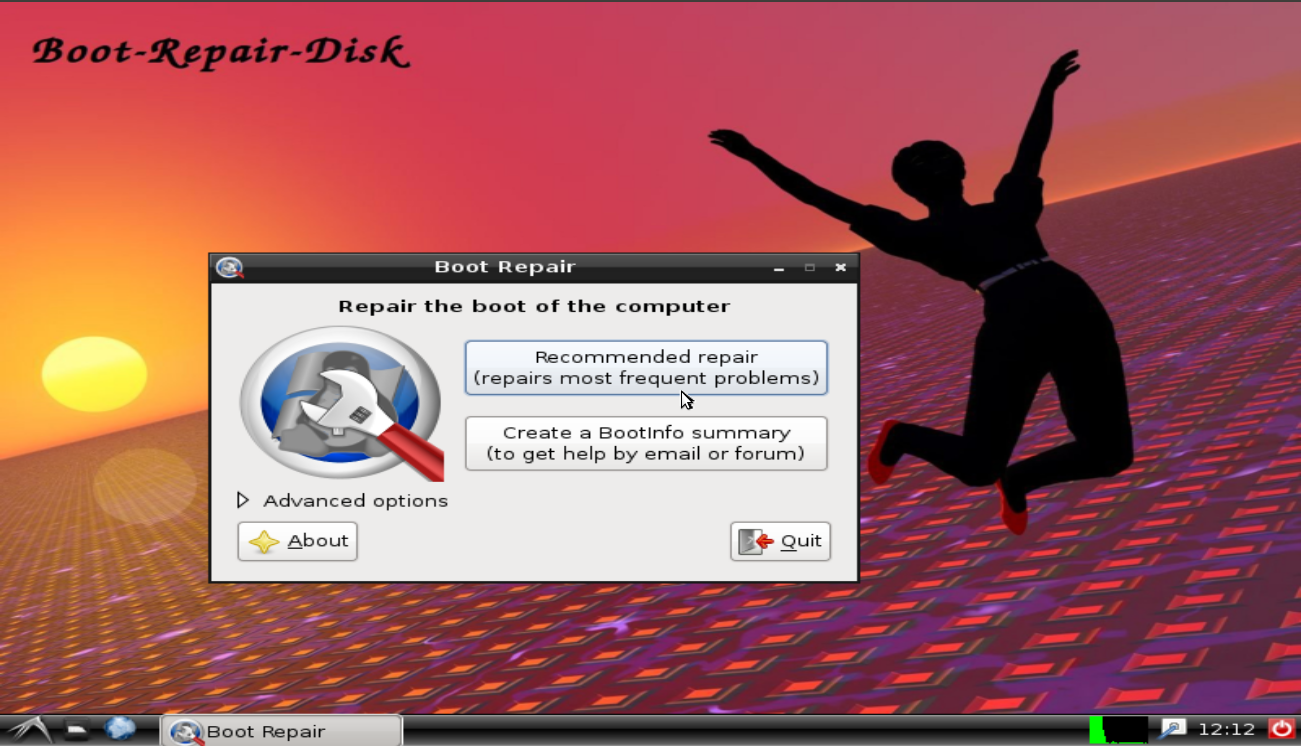
    world, as you can attempt to fix the booting using Boot Repair DVD.
    In some cases, if the hard drive ended up in GPT mode, you may need a
    BIOS Boot Partition (1MB) for the repair to work with.

    # Picture of what the Boot Repair DVD looks like when booted.

    https://a.fsdn.com/con/app/proj/boot-repair-cd/screenshots/brd.png/max/max/1

    # Site is "protected" by the Cloudflare browser-sniffer

    https://sourceforge.net/projects/boot-repair-cd/files/

    boot-repair-disk-64bit.iso 2023-12-23 2.6 GB

    "krysk Edited 2025-12-31

    No longer works with UEFI. Rufus warns that the ISO contains UEFI bootloader
    that has been revoked and will produce Security Violation screen on an
    up to date UEFI system. They advise to get more up to date version, that
    does no exist here. Acer E15 laptop, Windows 10 and Ubuntu installation.
    "

    You can try turning Secure Boot off and using the Boot Repair.

    Paul
    --- Synchronet 3.21f-Linux NewsLink 1.2
  • From german newsgroups@[email protected] to alt.os.linux.ubuntu on Sat Apr 25 18:47:27 2026
    From Newsgroup: alt.os.linux.ubuntu

    Le 25/04/2026 à 16:33, Paul a écrit :
    On Sat, 4/25/2026 7:53 AM, german newsgroups wrote:

    just a question !


    Installers use squashfs for major parts of the file storage for the install. You can open the squashfs if you want, and play with the individual files.

    There is a tendency these days, for the installer to try to install
    in UEFI GPT mode. A refusal of the OS to boot, is not the end of the
    world, as you can attempt to fix the booting using Boot Repair DVD.
    In some cases, if the hard drive ended up in GPT mode, you may need a
    BIOS Boot Partition (1MB) for the repair to work with.

    # Picture of what the Boot Repair DVD looks like when booted.

    https://a.fsdn.com/con/app/proj/boot-repair-cd/screenshots/brd.png/max/max/1

    # Site is "protected" by the Cloudflare browser-sniffer

    https://sourceforge.net/projects/boot-repair-cd/files/

    boot-repair-disk-64bit.iso 2023-12-23 2.6 GB

    "krysk Edited 2025-12-31

    No longer works with UEFI. Rufus warns that the ISO contains UEFI bootloader
    that has been revoked and will produce Security Violation screen on an
    up to date UEFI system. They advise to get more up to date version, that
    does no exist here. Acer E15 laptop, Windows 10 and Ubuntu installation.
    "

    You can try turning Secure Boot off and using the Boot Repair.

    Paul


    ok paul ! but i think i know the sequence for uefi boot, and i never
    need touch it...it's here...

    but how we say to a newbe squashfs is a big zip and YOU don't have the
    tool, the way to put the files in part ? if i understand well you !!!

    i like the kindy process install linux mint ! i don't why, but i like
    to think...the process...know what are they my chips !!! i'm wrong ?
    --
    Amicalement,

    Frenchy Friendly, & French touch !

    german
    --- Synchronet 3.21f-Linux NewsLink 1.2